• Home
  • About
  • Become A Teacher
  • My account
  • Blog
  • Contact
Have any question?

+91 7812345678
contact@eduma.bellyrules.com
RegisterLogin
Eduma
  • Home
  • About
  • Become A Teacher
  • My account
  • Blog
  • Contact

Photoshop

  • Home
  • Blog
  • Photoshop
  • How to Create Crisp and Sharp Photos Using Photoshop

How to Create Crisp and Sharp Photos Using Photoshop
  • Posted by eduma
  • Date October 14, 2021
  • Comments 0 comment

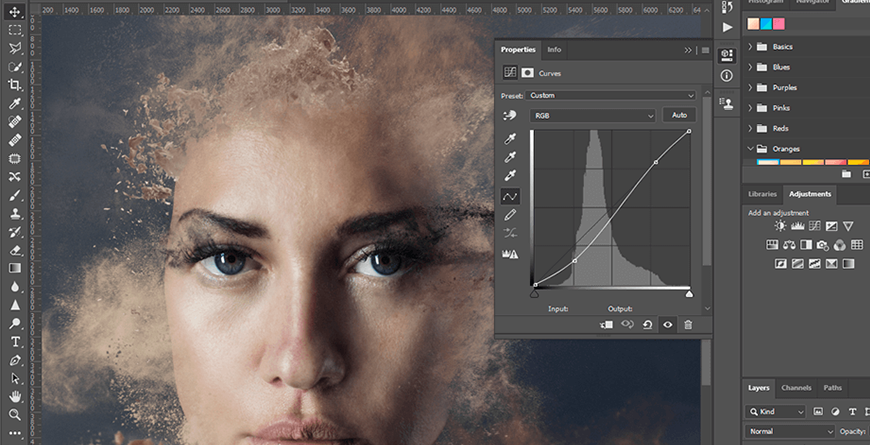
When you open Adobe Photoshop for the first time, it’s easy to click around in confusion for a minute and then reach for your freelancer’s phone number instead. Trust us, you’re not alone in this.

It’s an incredibly powerful design software with a lot going on, including a wealth of tools that can seem overwhelming at times. But Photoshop isn’t just for the professionals.

With a little help, you can easily teach yourself how to use it to create beautiful, compelling graphics. All it takes is an introduction to core elements — in plain English.

Download Now: The Marketer’s Guide to Photoshop

To get you started, we’ve picked 12 of the most useful tools in Photoshop and explained what they do, where to find them, how to use them, and a few tips and tricks for getting the most out of them. We’ve also included some great resources in there in case you’d like to learn about a tool in more depth.

Tag:clone stamp, frame tool, gradient tool

  • Share:
eduma
eduma

Next post

Why Ethical Hacking?
October 14, 2021

Leave A Reply Cancel reply

Your email address will not be published. Required fields are marked *

Recent Posts

  • How to Include Content in Your DM Strategy to Boost Ranking
  • Why Ethical Hacking?
  • How to Create Crisp and Sharp Photos Using Photoshop

Recent Comments

No comments to show.

Eduma is proudly powered by WordPress

Login with your site account

Lost your password?

Not a member yet? Register now

Register a new account

Are you a member? Login now